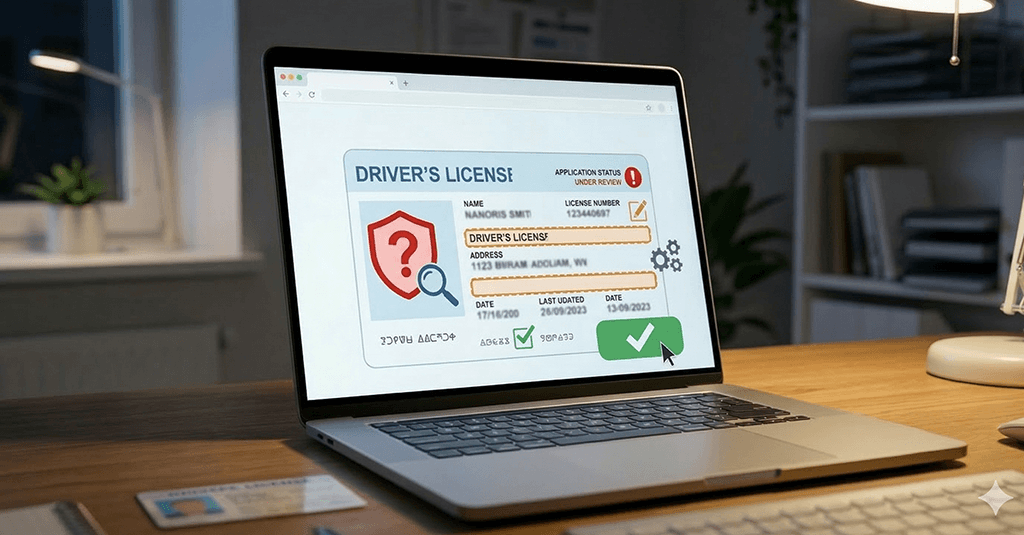
If you checked your driving license status and saw “Scrutiny”, it can feel confusing. Don’t worry. You’re not alone. I’ve helped many users fix this issue without stepping into an RTO office.
Let’s break it down in a simple way so you can fix it today.

What is meaning of “Scrutiny” in Driving License Status?
“Scrutiny” means your application is under manual check by the RTO officer. It is not rejected. It is not approved yet. Think of it like this: Your form is waiting on someone’s desk for verification.
Common signs:
- Status shows “Under Scrutiny”
- Application is stuck for many days
- No update after document upload
Why Your License Shows “Scrutiny”
Here are the real reasons I see most often:
| Reason | What it Means |
|---|---|
| Document mismatch | Name, DOB, or address doesn’t match |
| Blurry uploads | Documents not clear |
| Missing proof | Required file not submitted |
| Signature issue | Signature not matching ID |
| Manual hold | Officer wants to double-check |
Small mistakes can delay approval. Even a slight spelling error can trigger scrutiny.
How to Fix Driver’s License ‘Scrutiny’ Online
Now the part you really care about. You can fix most scrutiny issues online without visiting RTO.
Step-by-step process:
1. Check exact status
- Go to Parivahan portal
- Check application status carefully
2. Read remarks (very important)
Sometimes RTO adds a comment like:
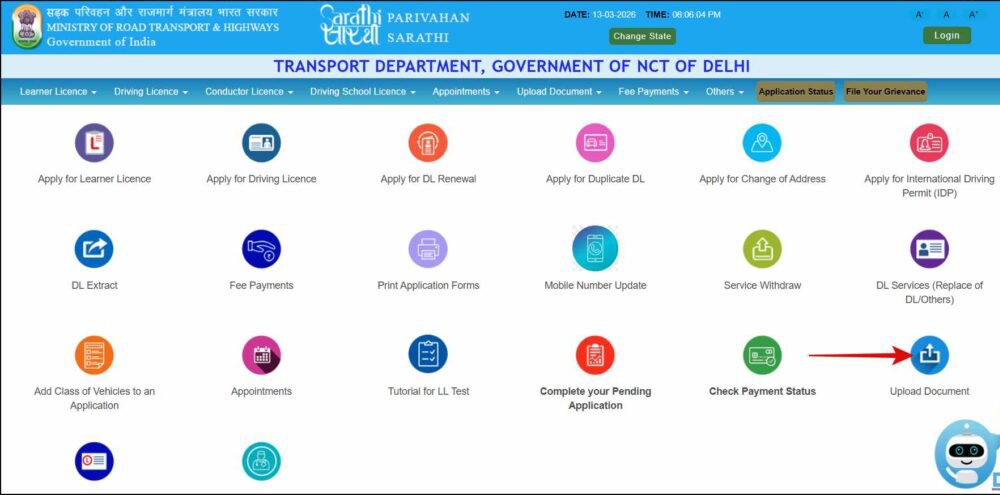
- “Upload clear document”
- “Re-submit address proof”
3. Re-upload documents
- Use clear images
- Ensure details match exactly
- Use original documents
4. Use correct format
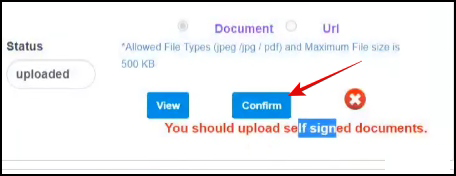
- JPG or PDF
- File size within limit
5. Submit again
- After correction, submit application again
6. Track daily
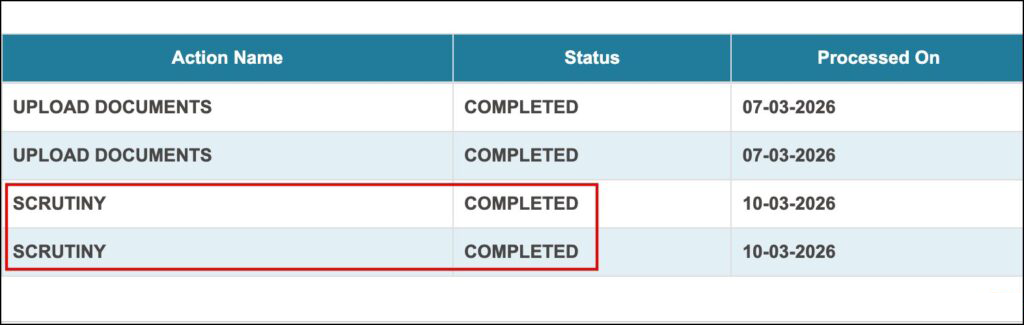
- Check status every 24 to 48 hours
Fix ‘Scrutiny’ Without Going to RTO
Yes, you can fix it from home in most cases.
Here’s how people successfully do it:
- Re-upload documents properly
- Match Aadhaar, PAN, and DL details exactly
- Use high-quality scans
- Respond quickly to remarks
Only visit RTO if:
- No update for 10 to 15 days
- No remark shown
- Application stuck for long time
Pro Tips From Experience
I’ve seen hundreds of cases. These tips work:
- Double-check spelling: Even one wrong letter can cause delay
- Use Aadhaar as base: Keep all details same as Aadhaar card
- Avoid cropped images: Full document must be visible
- Use daylight photos: Clear images get faster approval
- Don’t wait too long: Fix issues within 2 to 3 days
FAQs
How long does scrutiny take?
Usually 2 to 7 days. Sometimes longer if workload is high.
Can scrutiny be cleared online?
Yes, most cases can be fixed online without visiting RTO.
Is scrutiny a rejection?
No. It just means your application is under review.
What if there is no remark?
Wait a few days. If still stuck, contact RTO support.
Can I speed up the process?
Yes. Upload correct documents quickly and avoid errors.
Final Verdict
Seeing “Scrutiny” is not a problem, it’s just a delay. If you act fast and fix your documents properly, your license can get approved without any RTO visit. Most users who follow the steps above get approval within a few days.
About The Author